Exercise library for personal trainers: how should you prepare your references?
Clear entries and selected demonstrations make the next exercise understandable before you build an entire media collection.
Short answer
A useful exercise library connects a clear name, equipment, relevant demonstration and workout prescription. In Adhérence, start with the catalogue, add personal exercises or videos when they address a need and check the intended client journey. Begin with a representative workout rather than a large collection of media that has not been tested in coaching.
An exercise library for personal trainers becomes useful when you can find the right movement, add an appropriate instruction and check what the client will see in their workout. Begin with exercises you actually use. Organise names and demonstrations, then test a short programme before producing a large collection of content that has not yet been used.
This guide concerns the catalogue and demonstration materials. The personalised programme guide explains how to assemble workouts. Here, the aim is reusable elements that remain clear when they appear in several programmes or when you adapt a prescription for another client with different equipment, experience or practical circumstances.
What belongs in a useful exercise entry?
Start with a recognisable name, the relevant equipment and an understandable description. An abbreviation familiar to you may leave a beginner uncertain. If two variations have similar names, include the distinction needed when building or reading the workout. Test the terms with the person who will use the instruction rather than assuming a professional shorthand is universal.
Separate movement description from the day’s prescription. Sets, repetitions, rest and effort targets belong to the workout context. The exercise entry is a reusable reference. An instruction specific to one client or session should remain understandable in that context without silently changing the meaning of every future use of the same exercise across your programmes.
- Element
- Name and variation
- Purpose
- Identify the movement
- Practical check
- Search distinguishes two variations
- Element
- Equipment
- Purpose
- Prepare the activity
- Practical check
- The client recognises the required equipment
- Element
- Demonstration
- Purpose
- Provide a visual reference
- Practical check
- Movement and framing are understandable
- Element
- Workout prescription
- Purpose
- Define the intended work
- Practical check
- Targets match this particular session
| Element | Purpose | Practical check |
|---|---|---|
| Name and variation | Identify the movement | Search distinguishes two variations |
| Equipment | Prepare the activity | The client recognises the required equipment |
| Demonstration | Provide a visual reference | Movement and framing are understandable |
| Workout prescription | Define the intended work | Targets match this particular session |
How can you begin with the Adhérence library?
Adhérence provides an exercise catalogue and lets trainers add their own exercises. Search for an existing movement in the builder before recreating a copy. Names and filters help find an appropriate reference; you then build the prescription within the relevant workout rather than keeping its instructions in a separate, competing file that the client must locate independently.
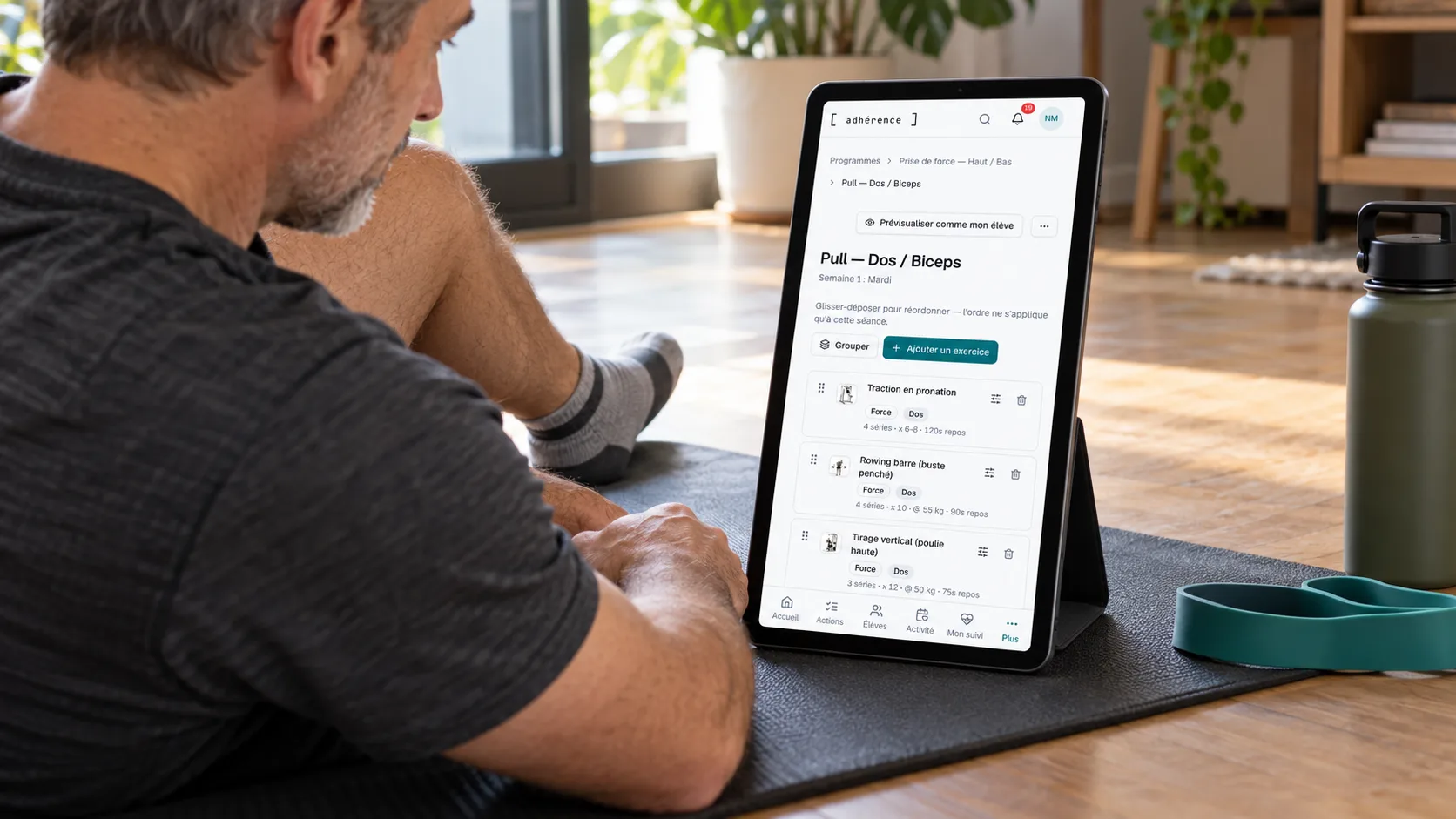
Begin with a representative workout. Add a few exercises and check their names, order and instructions. Preview the client journey where the option is offered. This exposes details that seem obvious to a trainer but remain ambiguous when someone consults their programme alone. The first test should show whether the person can identify and explain the next task.
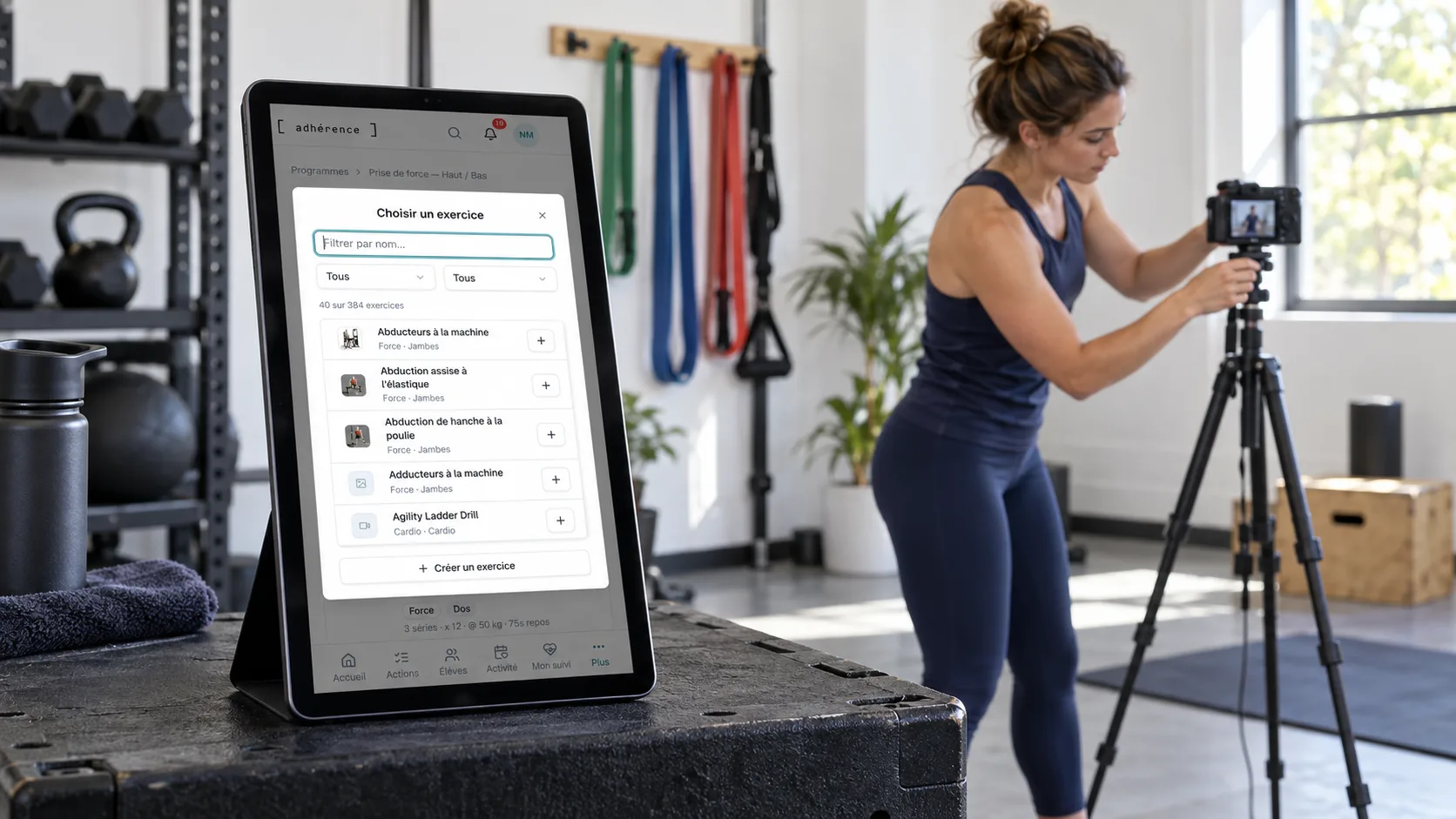
The mobile client journey guide helps test that reading on a phone. An exercise easily identified on your screen may be less clear in a longer list or on a smaller device. Ask clients to find the next movement and explain the instruction they believe applies before assuming the available media has resolved every ambiguity.
When should you add your own exercise video?
Add a video when it provides a useful reference that the existing material does not express well enough for your context. This may concern your terminology, the equipment in your gym or a specific variation. Define what the client should understand before recording, keeping one identifiable teaching purpose for the demonstration rather than filming simply to enlarge the catalogue.
In Adhérence, a trainer video can support an exercise within their coaching context, including a movement from the system catalogue. Once ready, it can be presented ahead of the system animation in that context. Check actual playback and the available alternatives before presenting the workout to the client, particularly after adding or replacing media that previously appeared differently.
A video does not establish that the person performs the movement correctly. It supports the instruction and conversation. Plan how clients can explain difficulty with understanding or equipment. A supervised appointment may be needed to clarify something the reference alone cannot establish. Keep demonstrations connected to the service rather than describing them as an automatic assessment of execution.
How should you prepare a simple, reusable recording?
Choose a clear space, stable lighting and a safely positioned device. Frame the relevant movement without cutting out details needed for understanding. Exclude passing people and visible personal information. A concise demonstration may be easier to revisit than a lengthy recording whose useful explanation is difficult to locate during a workout or while preparing the next exercise.
Prepare accompanying vocabulary. The variation name and instructions should match the exercise entry. Check audio if used, while retaining useful written information for gym consultation. Clients may need the reference without listening aloud. A readable instruction should help them identify the relevant task even when the surrounding environment makes sound inconvenient or they are checking the programme beforehand.
In a fictional example, a trainer begins with three movements often used for home coaching. She records a demonstration for the one whose equipment causes confusion, then reviews the other descriptions. Her first objective is an understandable workout, rather than hundreds of videos before using the app. The example illustrates a preparation method and makes no measured outcome claim.
A useful demonstration answers a particular client question. Before recording more content, check what the person already understands through the name, instruction and material available in their current workout.
Which rights should you check before using images or videos?
Use material you can legitimately include in the service. A social media video is not automatically a file you may copy into your library. Check rights and reuse conditions instead of assuming that publicly accessible content can be reproduced without further examination. Keep that check part of preparation when choosing external material as well as commissioning or recording your own.
For a recognisable person, distinguish agreement to be filmed from the intended use. The French Service Public guide to image rights explains the importance of defining distribution and its scope. Recording your own demonstration in a controlled space can simplify preparation without involving a client in the filming process or assuming their participation permits every future use.
The CNIL’s core principles remain relevant when collecting and using personal information. Frame the library as a support for the intended service. Material explaining a movement to clients and a public advertisement serve different purposes that should be examined separately rather than treating one original recording as unlimited authorisation for any new publication.
How should you check the demonstration before assignment?
Check media availability after adding and processing it. Open the exercise, then the intended workout context, and verify what actually appears. Selecting a file or seeing processing underway is insufficient evidence that the reference is already available for the client’s next session. Read the state shown and verify playback before relying on it in the prescription.
Test on a representative device next. Is the text readable, the movement identifiable and the equipment appropriate? Check the relationship between the demonstration and that day’s prescription. A video should not obscure the fact that workout targets may differ between programmes. Reused material needs to remain compatible with the current task rather than become an alternative set of instructions.
How can you trial the app without building the whole catalogue?
Create an Adhérence account and prepare a short workout from the existing catalogue. Add a personal exercise only where useful, then test assignment and reading. The first trial should verify a complete journey from preparation to client feedback before you begin a major media-production project. This gives a practical basis for deciding what custom material is worth creating next.
Check current features and limits on pricing and the scope described on the personal trainer software page. Invited client accounts are free and trainers can start without a credit card. Choose features according to your service rather than making the first useful trial depend on a completely personalised library that has not yet been tested with anyone.
Frequently asked questions
Must I record every exercise before starting?
You can begin with available references and a representative workout. Record demonstrations that address an identified need, then verify playback. Video quantity does not replace clear names, instructions and the prescription clients are expected to follow. Let the trial reveal which additional material would improve understanding before committing to a large recording project.
Can trainers add their own exercises and videos in Adhérence?
Trainers can create personal exercises and add video within their coaching context. Check plan features, processing and display before assignment. The video is a demonstration reference, not automatic validation of a client’s execution. Verify what appears in the relevant workout and ensure it remains coherent with the prescribed task and available equipment.
Does a video demonstration replace a trainer explanation?
It can make a reference available when clients consult their workout, but understanding still needs checking. Offer a way to ask questions and adapt support when direct observation is needed. The programme, exercise entry and conversation should provide coherent information rather than require the client to resolve conflicting instructions independently.
Key takeaways
Build the library around movements actually used, with clear names and verified references. In Adhérence, begin with a workout, then customise exercise entries or demonstrations where useful. Judge quality through understanding of the next exercise and client feedback, rather than catalogue size alone or the number of videos recorded before the first trial.
Sources
- Image rights and privacy in France · Service Public / DILA
- The six core GDPR principles · CNIL
- The trainer and client journey in Adhérence · Adhérence
Keep reading
Two related guides for turning an observation into a sustainable tracking method.