Notion vs Adhérence: which tool for personal training follow-up?
Flexible documentation or an established coaching journey: compare trainer preparation and the client’s actual routine.
Short answer
Notion suits documentation and customised organisation. Adhérence is more suitable when you want to connect strength programs, recorded workouts and an adherence overview without designing that journey yourself. Compare phone entry, maintenance and useful feedback before deciding to switch.
Notion or Adhérence for personal trainers? Choose Notion when your main need is a flexible documentation workspace. Choose Adhérence when you want to connect strength training programs, workouts recorded by clients and an overview of their adherence. The difference lies in the work needed to maintain that process as well as the appearance of the pages.
This comparison is written by Adhérence’s publisher. The features discussed were checked on 1 October 2026; client examples are fictional. We compare a coaching workflow rather than every possible use of Notion.
An organised workspace still needs a usable client routine. Ask a client to find their next workout, record what they complete and leave feedback. That journey tells you more about the system than an attractive home page.
What can Notion do for personal trainers?
Notion databases organise pages using properties and different views. You can bring together a resource library, client records and internal procedures. That flexibility suits a trainer who enjoys designing their own way of working.
A page template can provide a consistent structure: goals, availability, program and next review date. Educational resources remain easy to write. For internal preparation, this freedom is a useful advantage.
The outcome depends on what you build. A database containing client names does not, by itself, show which workouts they completed. You need to define data entry, relationships, calculations and the way you review exceptions. The template is a starting point for that work, rather than proof that the full routine is already effective.
How is Adhérence different?
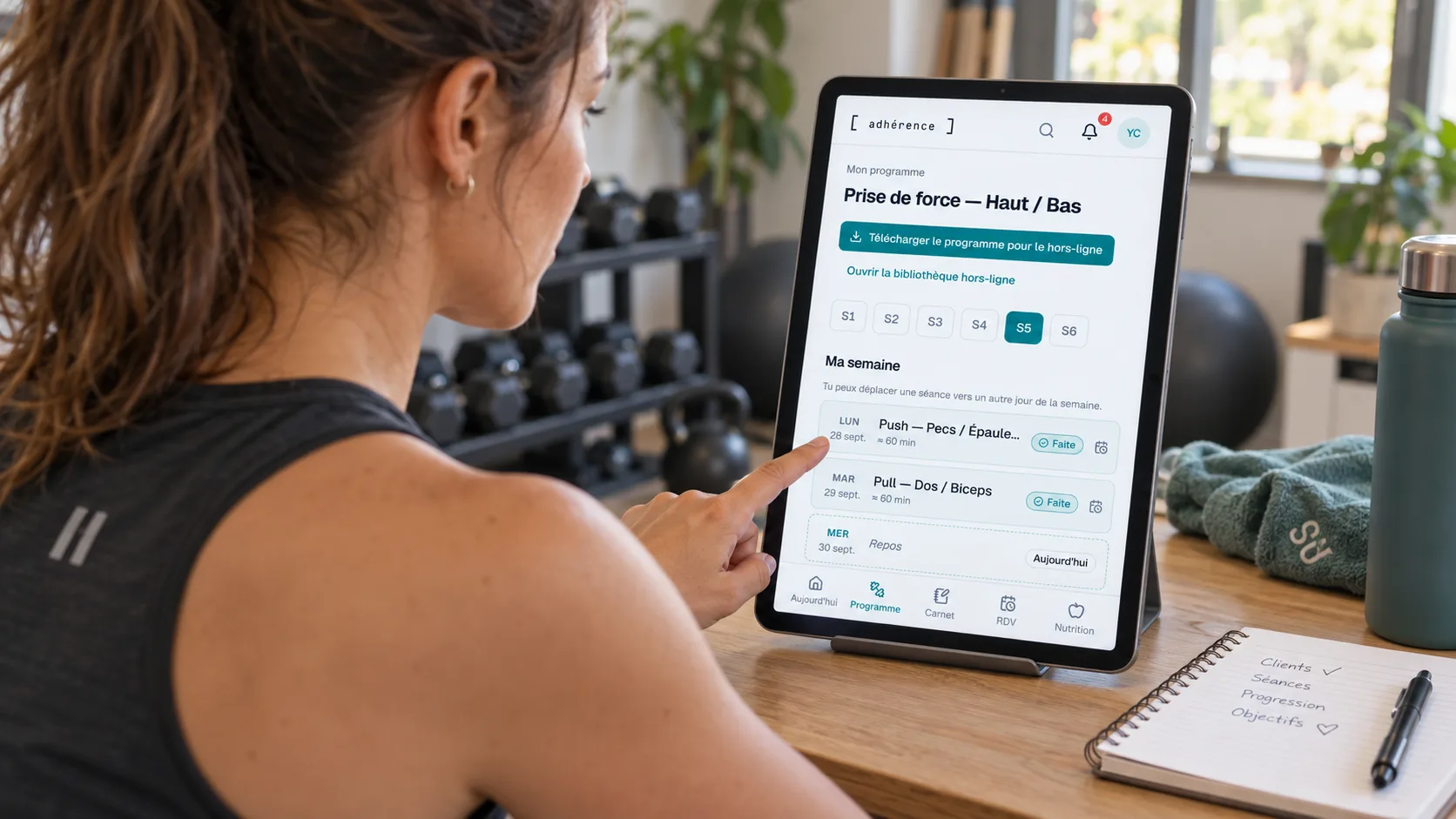
Adhérence provides structures already adapted to coaching: programs, workouts, exercises, assignments and training records. The trainer prepares the program; the client opens it in their space and records workouts. The tracking view brings together useful adherence information.
This specialisation matters if you want an existing journey rather than a custom database. You still do the coaching: define goals, adapt exercises and interpret feedback. The software organises the information; it does not make those decisions for you.
Notion remains more open for free-form documentation or projects unrelated to training. Adhérence is a Notion alternative for structured personal training follow-up, especially strength training, rather than a general project management platform. Choose according to the activity that needs the most support in your business.
How can you compare practical coaching tasks?
Test the same week in each system. Prepare two workouts, share them with a client and examine what they record. Count the steps needed to understand a missed workout and change the next instruction. Notice where the task requires information from another channel.
- Task
- Write free-form resources
- Notion
- Customisable pages and documentation
- Adhérence
- Focused on programs and client tracking
- Task
- Prepare a program
- Notion
- Structure and conventions to define
- Adhérence
- Program builder and exercise catalogue
- Task
- Record a workout
- Notion
- Data entry journey to design
- Adhérence
- Client journey designed for training
- Task
- Review adherence
- Notion
- Data, views and calculations to organise
- Adhérence
- Metrics based on recorded workouts
- Task
- Customise operations
- Notion
- Broad structural freedom
- Adhérence
- An established coaching framework
- Task
- Start with clients
- Notion
- Sharing and permissions to configure
- Adhérence
- Invitations and a dedicated client space
| Task | Notion | Adhérence |
|---|---|---|
| Write free-form resources | Customisable pages and documentation | Focused on programs and client tracking |
| Prepare a program | Structure and conventions to define | Program builder and exercise catalogue |
| Record a workout | Data entry journey to design | Client journey designed for training |
| Review adherence | Data, views and calculations to organise | Metrics based on recorded workouts |
| Customise operations | Broad structural freedom | An established coaching framework |
| Start with clients | Sharing and permissions to configure | Invitations and a dedicated client space |
“To design” does not mean impossible. A carefully built Notion workspace can cover many needs. The question is whether building it is a useful investment for your business or an additional responsibility you would prefer to avoid. Include the effort of maintaining the structure after your initial setup.
Is a Notion template enough to track workouts?
A template can accelerate setup, but check what it actually asks the client to do. Must they create a row, find the right week and distinguish prescribed sets from completed sets? Can they do this easily on a phone between exercises?
Fictional example: Léa receives three weekly workouts in a Notion page. She reads the program, then sends her weights by message. The program is centralised, but its execution remains elsewhere. To prepare the next week, her trainer must reconcile the page and the messages.
In Adhérence, the workout journey lets Léa record training in the intended space. The desired benefit is information attached to the relevant workout. If she enters nothing, her trainer still needs to ask what happened: missing data does not prove that training did not take place. Agree on the recording routine before drawing conclusions from the dashboard.
What should you check on mobile?
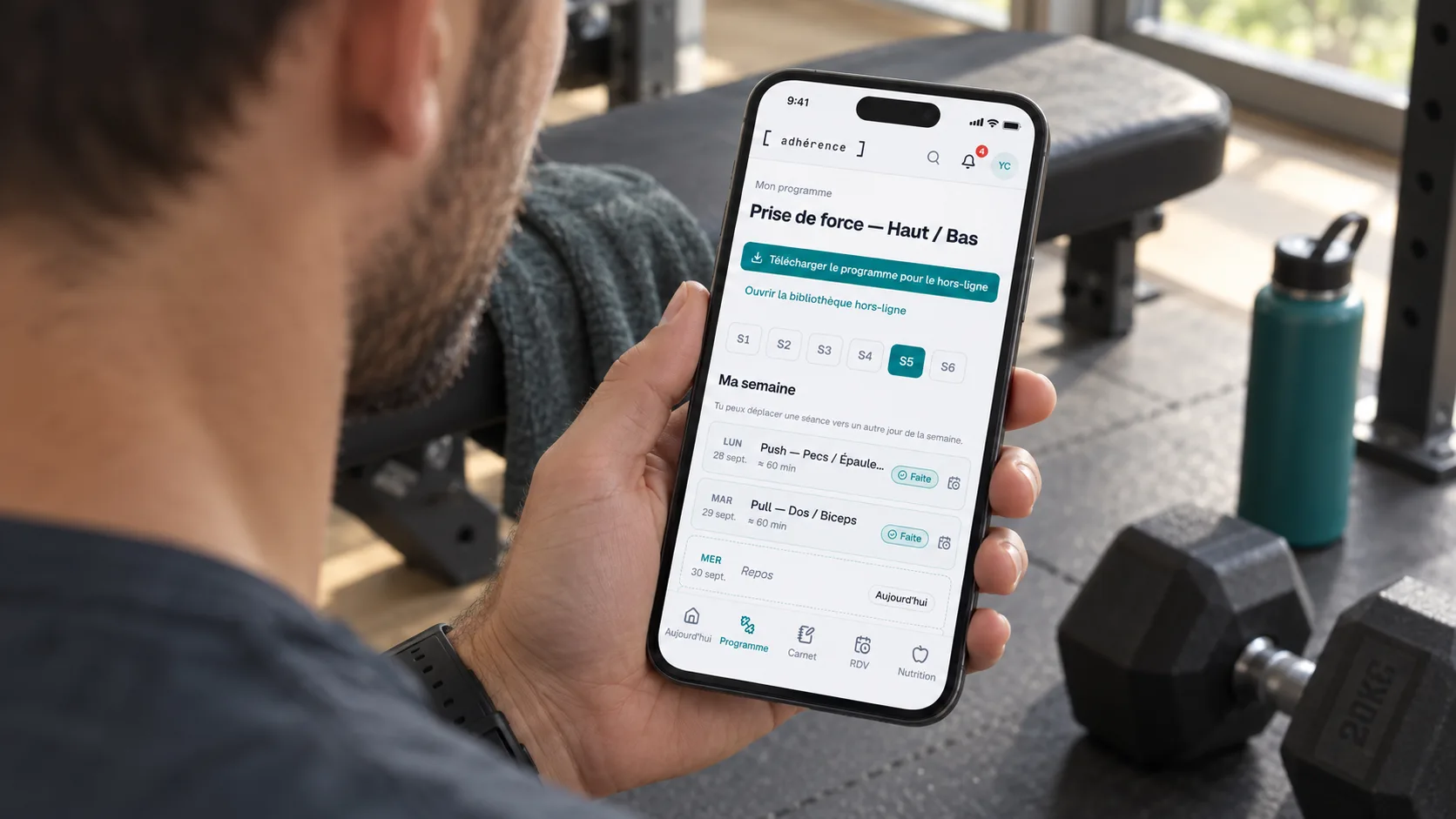
Clients use your system in a different setting: a noisy gym, one hand holding a phone and limited time between sets. Avoid judging solely from your large screen. Observe where they hesitate and what they need to remember to finish.
Run a trial without guiding every click. Ask the client to find an exercise, understand the instruction and record one set. Then ask where the next workout is. A system that needs repeated explanations may benefit from simplification, whichever software you choose.
The guide to useful client-tracking metrics explains which information helps coaching decisions. A clear interface should support those decisions rather than accumulate properties. Keep optional information separate from the details the client needs while training.
How should you assess information sharing?
Notion offers sharing permissions and guest access. Check the pages accessible from each client account and the permissions granted. A filtered view and an access permission are separate things to examine.
In Adhérence, an invitation gives access to a client space and programs assigned within the coaching relationship. Keep the same discipline: choose the correct recipient, share only useful information and check what the client sees.
This comparison is not a security audit of either product. Also ask how to retrieve your data, remove access that is no longer needed and distinguish internal notes from information intended for the client. Check those questions with the actual configuration you plan to use.
Which costs belong in the comparison?
Compare the subscription that fits your usage and the work required for preparation and maintenance. Record time spent on templates, structural changes and explanations. That time is part of operating your business even when it does not appear on an invoice.
Adhérence lets you start on Free without a credit card, with up to five coached clients. Check the current plans for each tier’s limits and features. Review Notion’s current terms on its own website when making your decision.
Do not treat theoretical time savings as established. During the trial, measure a repeated task in both systems: preparing a week, examining feedback or welcoming a client. An observation from your own practice is more useful than a general promise. Include the time clients spend learning the new routine too.
How can you move from Notion gradually?
Start with the active program and a few willing clients. Documentation can stay in Notion while training moves to Adhérence. Define where each type of information belongs so that two competing versions of the program do not emerge.
- Sort the pages. Separate current programs, archives and internal resources.
- Recreate a useful template. Prepare exercises and a representative training week in Adhérence.
- Invite a small group. Explain where to find and record the next workout.
- Observe a complete cycle. Check data entry and the trainer’s feedback review.
- Decide what to keep. Retain documentation in Notion when it remains useful.
This is an organised transfer of content, not a promise of automatic Notion import. If your programs mainly live in a spreadsheet, the Excel vs Adhérence comparison covers the questions to consider. Preserve relevant history until you have checked the new routine.
Frequently asked questions
Is Notion a poor choice for personal trainers?
No. It suits documentation and custom operations. Adhérence becomes relevant when you prioritise an established journey for programs, workout recording and client tracking. Consider what you want to build and what you want the product to provide.
Can I keep Notion while using Adhérence?
Yes. You can keep procedures or ideas in Notion and use Adhérence for coaching. Give each tool a clear role so the client knows where to find the active program.
How many clients justify switching?
There is no universal threshold. Look for scattered feedback, repeated searches and difficulties entering workout data. The general coaching tools guide helps compare these signals with the complexity of your service.
- Can the client find their next workout without repeated explanation?
- Are their results connected to the correct program?
- Can I review tracking without reconciling several conversations?
- Have I checked access from a client account?
- Does the cost include maintaining my organisation?
- Does a real trial justify changing tools?
Key takeaways
- Notion suits documentation and flexible organisation.
- Adhérence connects programs, recorded workouts and adherence tracking.
- Compare the mobile client journey as carefully as trainer preparation.
- Test a coaching cycle and keep resources that remain useful elsewhere.
Sources
- Intro to databases in Notion · Notion Help Center
- Sharing & permissions in Notion · Notion Help Center
- Personal training software: programs and client tracking · Adhérence
Keep reading
Two related guides for turning an observation into a sustainable tracking method.